Showing posts with label webmaster tools. Show all posts

How To Add Google Index Pages Checker

1.Login to your dashboard--> layout- ->Page Elements
2.Click on 'Add a Gadget' on the sidebar.
3.Select 'HTML/Javascript' and add the code given below and click save.
<form method="get" action="http://www.google.com/search" target="_blank" rel="nofollow"><input name="q" value="site:" maxlength="255" size="40" type="text"><input value="Google Index" type="submit"><input value="en" name="hl" type="hidden"></form>
It will look like this.
Note : To check google index pages ,Enter URL with http:// after the word site:

OpenLinkProfiler : Free Backlink Tool To Check Unlimited Backlinks

SEO

OpenLinkProfiler : Free Backlink Tool To Check Unlimited Backlinks


OpenLinkProfiler Free Backlink Tool
Few days back I talked about Domain authority which is the best way to measure the success of a domain or a webpage. If you read that article, you must be aware of the fact that: backlink is still one of the biggest criteria for higher ranking of a webpage.  Today, I’m talking about one of the finest free tool to check backlink which let you find the freshest links to your site.
  • Must read: 101 affordable ways to get quality backlinks to your blog
As a free option, this is a great solution to check backlinks for your domain or any domain you want. The free tool which I’m talking about today is OpenLinkProfiler. This is a great looking tool to check links to any domain (Including yours) and you can do much more than just checking links.

Features of OpenLinkProfiler:

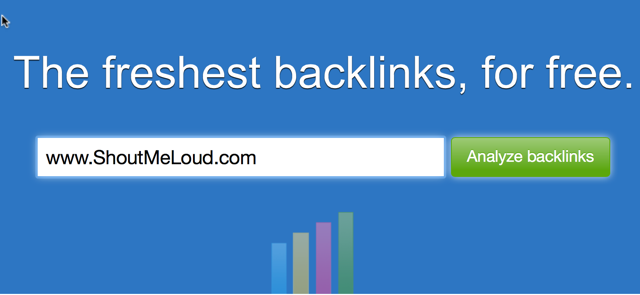
What I liked the most about this tool is, it let you check backlinks for unlimited domain and you can also download newest 1000 links to any domain in .csv format. Here is a screenshot of this tool for ShoutMeLoud domain:
find links to a website

This tool offers great feature for backlink builders to identify good domains to get links from. The idea is to analyse your competitor site and filter the result based on “Only links based on trusted top level domains“. It will show the results from top domain and also the LIS score. LIS is the link influence score of any page, and it’s calculated on a scale of 0-100%. (I don’t have enough information such as how LIS score is calculated at this moment). Here is the screenshot of the filter page and see the results this tool showed:
OpenLinkProfiler
You can further click on any link in link destination column to find more links to the site. OpenLinkProfiler also distinguish domains into industry. You can find detailed information about industry categorisation on their FAQ page. Here are few notable features which you should know about OpenLink Profiler:
Link Disinfection:
Link Disinfection tools shows all the low quality and bad links pointing to your site. All the links shown in this tab might not be bad always, so you should carefully audit all the links. You can further use Google disavow link tool to ignore this links.
Pages- Find domain pages with maximum links:
This tab let you find all the pages of any domain with maximum number of links. This is a good strategy to find out top linked pages of any domain. If majority of links are high-quality, that page might be the most valuable page of the domain.
Linkage:
Backlinks by year
This section shows the link pointing to any domain by age. This is a good way to find out if links are built on an aged domain in a short period or it was built over the time.
There are many more features which you will love in this free online backlink tool. Such as:
  • Countries : This section let you see which countries link to any domain.
  • LIS distribution: Here you can see how many high LIS or low LIS domain linking to a domain. It’s normal that you might notice a huge number of low LIS domain linking to your site, but what you should focus on is the site with high LIS score linking to you.
  • LinkAlerts: Send you email notification for newly discovered links.
Overall as a free tool, OpenLinkProfiler is a great backlink analysis tool for any SEO guy or a blogger like you and me. Go ahead and try this site, I’m sure you will find it useful.
Don’t forget to share about this awesome free backlink tool with others on Facebook and Google plus. If you know about more similar tool, let me know via comments.

Complete SEO Guide For Blogger|Blogspot

This Article will provide you complete guide on search engine optimization (SEO) for blogger templates.If you have any other ideas please leave a comment.

Meta Keywords and Description

Meta tags are very important for SEO.So you must add meta tags to your blogger blog for improve your seo.

  • How to Add META TAGS to Blogger(blogspot) blogs
  • Add Different Meta tags to Different Blogger Posts
  • How To Install Dynamic Meta Description Tags

Submit Your Sitemap to Search Engines

  • HOW TO SUBMIT BLOGGER SITEMAP TO GOOGLE
  • How To Submit Blogger Sitemap to MSN and Ask.com
  • How To Submit blogger sitemap to yahoo

Change Blogger Default Title Tag


Default page title for a single Blogger post is BLOG TITLE: POST TITLE. You can improve SEO by changing the title tags to POST TITLE ~ BLOG TITLE.
  • How To Change Default Title Tag on Blogger for SEO

Change Blogger Default Heading Tag


Heading Tag (h1, h2, h3, h4, h5) is also important for SEO. All of Blogger widgets (gadgets) title use h2 or h3 tags. If you want to improve SEO, you need to use h1 tag for post title.
  • How To Change Heading Tag For Better SEO in Blogger

Use Social Bookmarking Services


Adding social bookmarking links can help you build your traffic and improve SEO.
  • How To Add Big Social Bookmarking buttons
  • How To Add jQuery Social Bookmarks icons
  • How To Add Sexy Social Bookmark to Blogger
  • How To Add Addtoany Social Bookmarking Widget
  • How To Add SocioFluid Bookmarking Widget
  • How To Add Retweet Button in Blogger
  • How To Add Save to del.icio.us button with Hit counts
  • How To Add 'Digg it !!!' Link to blogger posts
  • How To Add 'Stumble it' Link to blogger posts
  • How To Add 'Reddit' Link to your blogger posts
  • How To Add 'Twit this' Links to blogger posts
  • How To Add 'del.icio.us' Links to blogger posts
  • How To Add 'Share on Technorati' Links to blogger

Use Related Posts Widget

  • How To Add jQuery Related Posts Widget for Blogger
  • Nice Related Post Widget For Bloggers
  • Add Related Post Widget to Blogger-Original Templates
  • Add Related Post Widget to Blogger-Modified Templates
  • Instant Related Post Widget For Blogger

Use Read More... Feature

  • Auto 'Read More' Feature with Thumbnails
  • Jquery Read More-Expandable Post in Blogger
  • Add Auto 'Read More' Feature to blogger
  • Add 'Read More' Feature to blogger
  • How To Create Expandable Post Summaries

Use Recent Posts,Recent Comments Widgets

  • How To Add Recent Posts Widget with Thumbnails
  • How To Add Recent Posts Widget to blogger
  • Add Scrolling Recent Posts Widget to blogger
  • Add Recent Comments Widget For Blogger Blog

Use Popular Post Widget

  • Add Popular Post Widget - with comments count
  • Add Popular Post Widget-without comments count

Use Labels / Tag Clouds

  • How To Add New Blogger Tag /Label Cloud Widget
  • Add Flash Animated Label Cloud Widget to Blogger

Use Breadcrumb


You can use breadcrumb to provide easy navigation for your visitor and increase page views.
  • How To Add Breadcrumb to Blogger

Submit Blog to Blog Directories

  • Submit Blog to Blog Directories to increase Traffic

How To Submit blogger sitemap to yahoo to index your web pages


Submitting your site to yahoo is easy and give your web pages more exposure.
All you need is a YAHOO ACCOUNT(ID).However,you don't need an yahoo ID to know the information like how many pages are indexed,etc.But,if your blog is a new one or no pages in your blog are indexed(type your blog url in yahoo search and see to check whether your web pages are indexed or not), then you want Yahoo id to submit your sites,feeds,etc.
Let't see how to make yahoo index your webpages by submitting your blog sitemap.
2.Click on the 'Sign in' link which is at the top of the page (If you don't have a Yahoo id, you can get one here) to sign into your account.
3.Type your blog url in the box provided and click on the 'Add My Site'
4.After adding your site,you need to Authenticate(Verify your ownership).
Now click on the site name which submitted you and then click 'Authenticate' in the next page.
There are two ways to verify your ownership.One is to upload a file to the root directory of your site which can't be possible in blogger.
Another one is to 'adding a metatag' which is possible and the only way to verify ownership for bloggers.First,copy the metatag..
Next,sign in to your blogger account>Edit html and paste the metatag below the head tag and SAVE THE CHANGES.
When you return to Yahoo! Site Explorer, click the button that says “Ready to Authenticate
Next,you will get a message saying that 'Your site is pending authentication'
Note:Don't remove the metatag,they will revalidate your ownership by checking your ownership regularly.
5.Next,go back to the 'Site explorer home', and check the box next to your blog url and click on the Manage button.
6.Type rss.xml or atom.xml in the box provided.It helps yahoo to discover more of your site content via your rss or atom feeds and to index your blog pages quickly whenever your blog is updated.Next,click on the add feed button.
That's it.Now,you have successfully submitted your blog sitemap to yahoo.Check your account after a couple of days and you will see your blog indexed in yahoo search engine.
Meanwhile,if you didn't submitted your blog sitemap to google,please read this about 

How to Submit your blog sitemap to Google